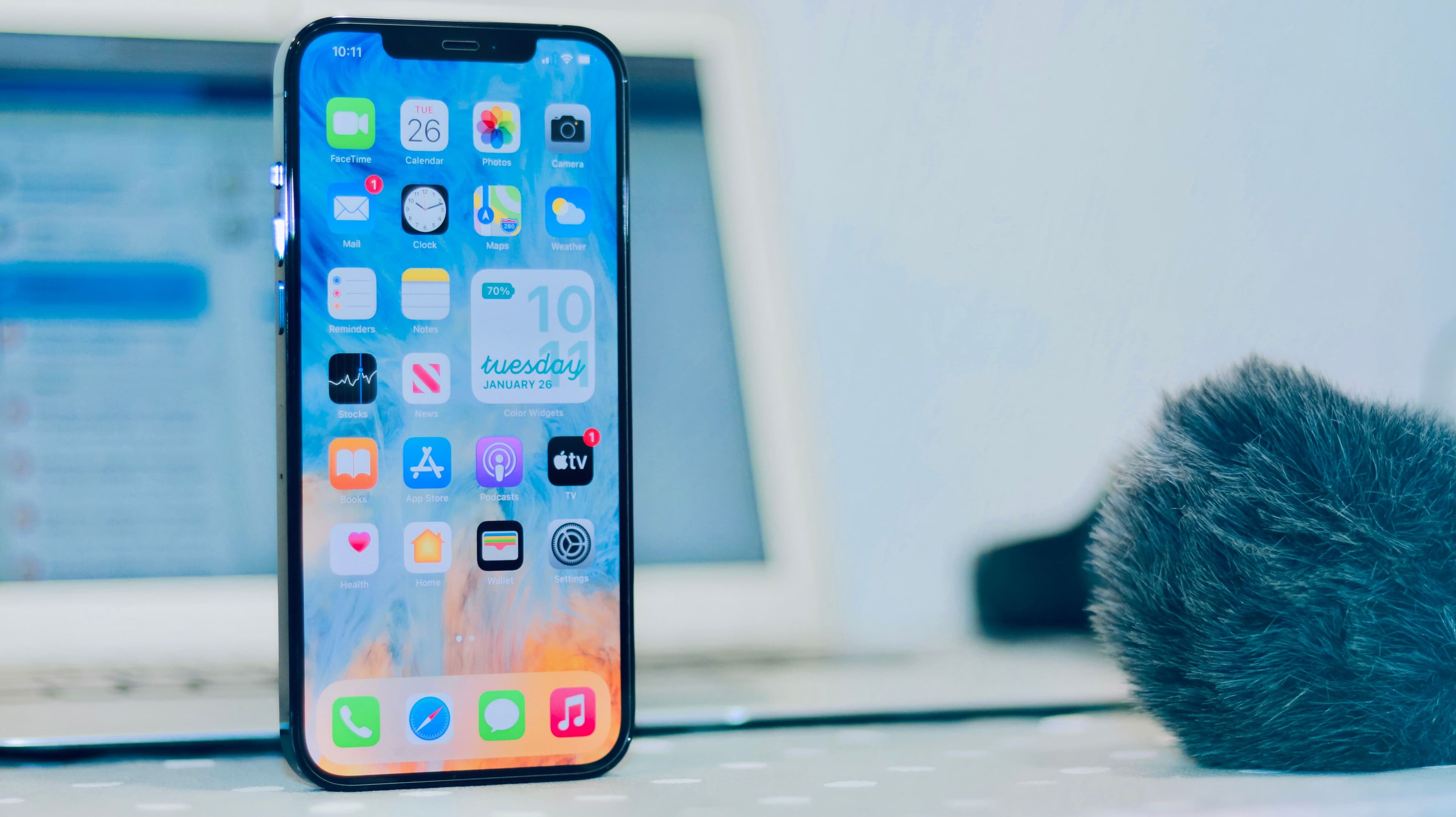
Did you know it's impossible to set up an hourly reminder on your iPhone natively? This guide explains how to achieve it using the ideal tool for automating your recurring reminders with effortless simplicity.
Key takeaways:
- The native system doesn't support infinite time loops.
- Manual workarounds require too much effort in the long run.
- A dedicated app offers total and reliable customization.
- Automation eliminates unnecessary noise and constant pressure.
Why Your iPhone Won't Allow Hourly Reminders
Your iPhone blocks hourly alert repetition to protect your attention. The native operating system limits notification frequency to prevent continuous disruption. Excessively frequent notifications can lead to mental fatigue and cause users to overlook important alerts. Additionally, most standard reminder apps block intervals shorter than 15 minutes for performance reasons.
Native System Constraints
Blocked Frequency: Native reminders often stop after a few minutes if the sound cannot ring. Minimum Interval: The interval between two alerts must typically be greater than 15 minutes to function properly. Battery Management: The phone restricts constant processes to preserve battery life.
Why This Protection Exists?
Manufacturers impose these rules to prevent constant interruptions. However, this logic conflicts with building habits that require regular, immediate repetition. You risk missing an important notification if you cannot configure a precise reminder.
The Alternative for Short Intervals
If you need an interval of less than 15 minutes, the native system will not allow it. In this case, third-party solutions are available to manage more frequent recurring timers.
If you're looking to understand how to automate your routines, research on habit formation explains the actual duration required to automate an action.
How to bypass this limitation without an app?
If you prefer not to install third-party software, several native workarounds can help you simulate a recurring schedule, although they remain less flexible than a dedicated solution.
Use the "Clocks" app
You can set up a recurring alarm via the Clocks app (World Clock). It allows you to configure wake-ups that repeat, providing a sound notification at fixed intervals without relying on the standard reminder system.
Create a series of separate reminders
Another option is to add multiple reminders manually within the native app. You can program notifications with 30-minute intervals and adjust the final reminder every two hours to avoid overload. Note that this method requires returning to modify the list each time a reminder expires.
Enable push notifications
Certain messaging services like Slack or Teams allow you to configure push reminders with short intervals, provided your employer or the app permits it. This is often the most reliable method to receive an alert every hour without needing to touch your phone.
If your specific need concerns hydration, you can draw inspiration from simple routines to implement, such as those detailed here on how to create effective reminders for hydration.
The Risks of Overloading Reminders
A constant stream of notifications can undermine your focus and increase stress, contradicting the goal of well-being. This leads to "notification fatigue," prompting users to disable all alerts and rendering essential reminders ineffective. To avoid this, it's best to schedule 45 to 60-minute gaps between reminders, giving yourself time to complete the action.
Why Frequency is a Trap
Apple's native system often enforces fixed intervals that don't align with your actual work cycles. You risk receiving an alert before finishing the previous task, creating an unnecessary loop of anxiety.
How to Manage Ideal Spacing
To structure your day without feeling overwhelmed, adopt these organizational principles:
- Respect Rest Cycles: Allow a reasonable interval between two reminders to give your brain time to process the information.
- Vary Categories: Don't schedule a health reminder immediately followed by a work reminder; keep topics separate.
- Use a Dedicated App: If you need total flexibility, explore the guide of reminder apps tailored to your needs that can streamline your daily life with precision.
The Impact on Automation
Effective automation doesn't mean relentless repetition. Studies show that building a habit takes an average of 66 days, not a few days of constant insistence.
How to Automate Your Reminders Effectively with a Dedicated App
If the native iPhone setup feels too rigid, a third-party app capable of managing custom intervals and unique messages offers the flexibility you need. These tools allow you to set precise repetitions, such as a signal every hour, without being hampered by the operating system's restrictions.
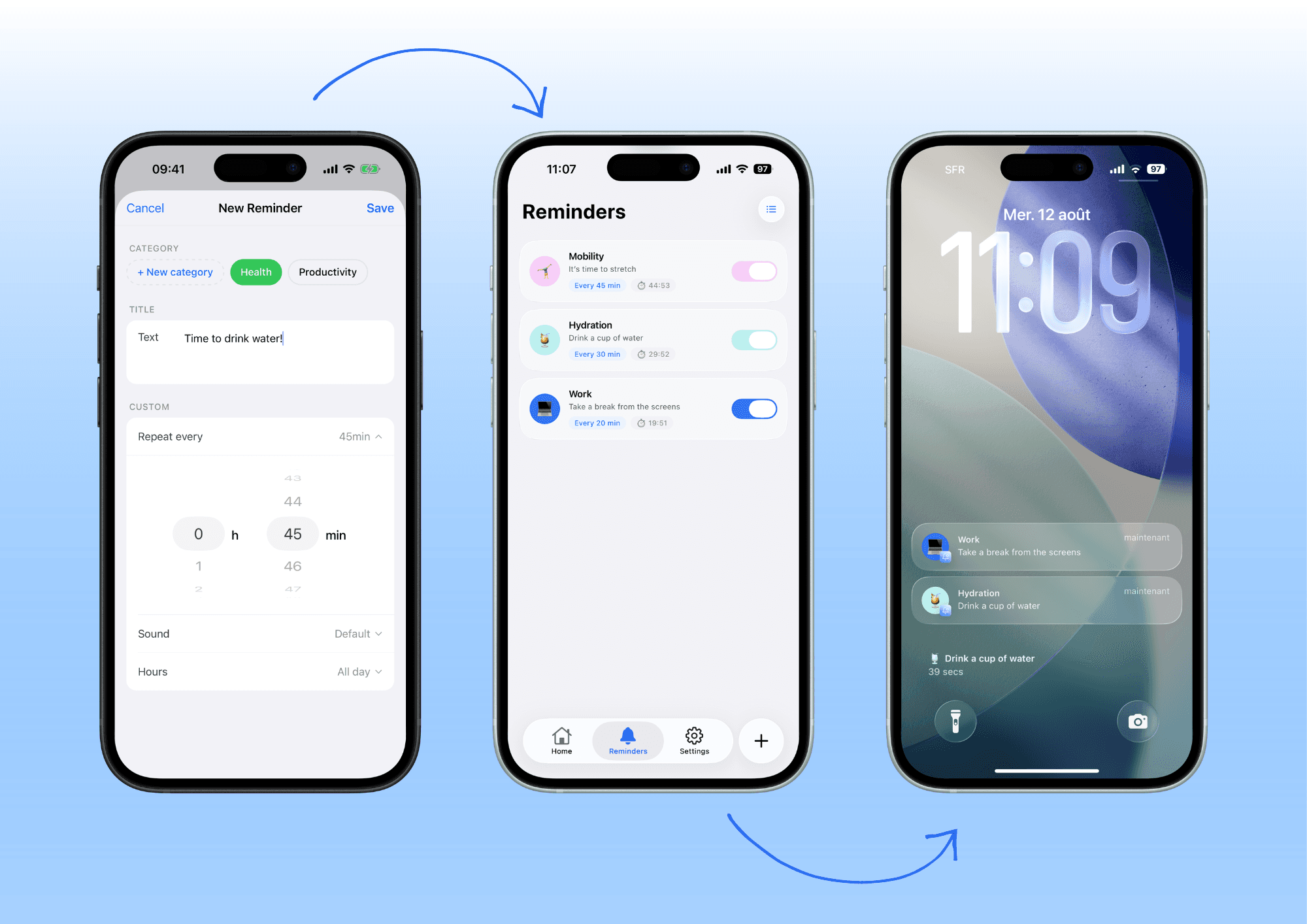
Customize Frequency and Content
Set up distinct categories (e.g., "Health," "Work") to organize your habits without confusion. Select a unique sound for each reminder to ensure you don't miss it, even if you're wearing headphones. This visual and auditory organization transforms a list of notifications into a clear dashboard of your day.
Example of a Structured Routine
You can group your notifications to create consistent routines, such as drinking water at specific times. This approach draws inspiration from methods for creating effective hydration reminders by adapting the timing to your real-life rhythm.
Avoid Generic Solutions
The lack of personalization in standard apps can lead to notification overload. To compare options if the native method isn't enough, it's helpful to consult a guide on choosing the reminder app that suits your needs.
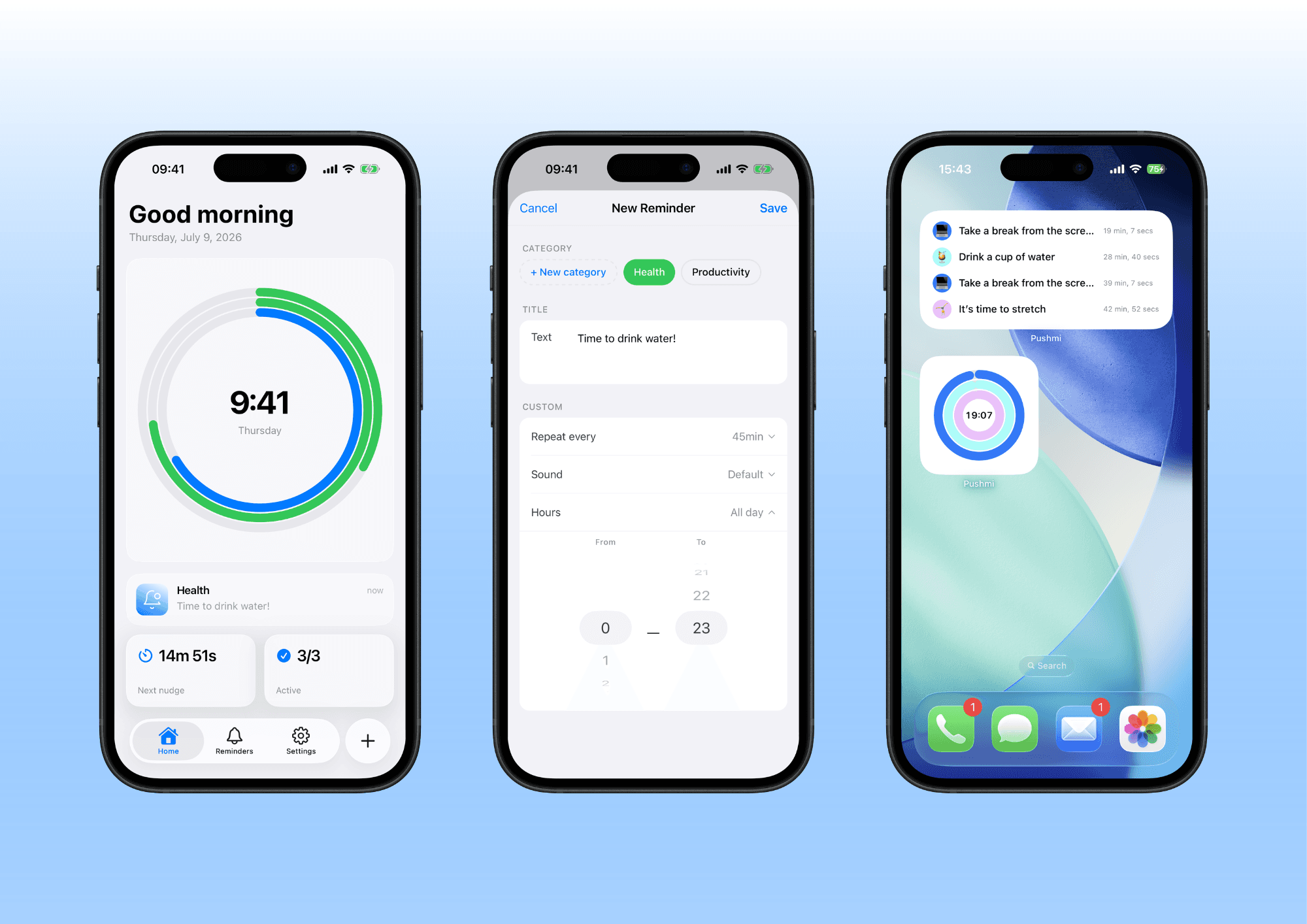
Integrate Pushmi for Simplicity
Pushmi is a mobile app that lets you create recurring, customizable reminders in just a few seconds. Its clean interface and widgets help you visualize your routine directly on your lock screen.
Respect Your Personal Rhythm
Use flexible intervals to adapt reminders to your schedule, avoiding constant pressure. Studies show that reminder frequency impacts adherence, so it's essential to choose a sustainable rhythm for each task. Adjust your reminder frequency to match your natural rhythm rather than a rigid calendar.
In conclusion
Remember that building sustainable habits requires repeating the same actions. Pushmi allows you to create custom recurring notifications without causing mental fatigue. This app lets you adjust the frequency and message of each reminder so your day stays smooth, rather than becoming a to-do list.
Frequently Asked Questions
Is it possible to set up a reminder every 5 minutes on an iPhone?
No, the native iPhone app limits reminder frequency to every 15 minutes to avoid disrupting your privacy. You can set up a series of reminders at 15-minute intervals, but this won't replace the precision of a custom timer.
What applications are compatible with recurring reminders?
Dedicated apps like Pushmi allow you to create notifications that repeat at precise intervals, including every hour or every minute. These tools also offer the ability to customize the message and sound for each new alert.
How to Disable Recurring Alarm Notifications?
You can disable recurring alarms in the app settings by changing the repeat interval or turning off the loop feature. If you're using the Pushmi app, go to the existing reminders section and adjust the frequency to stop the loop.
Why is my iPhone blocking frequent notifications?
iOS blocks overly frequent notifications to preserve battery life and avoid constant noise. This technical limitation protects your user experience, which is why you can't natively set up a reminder every 5 minutes.
Do you still need an app to set up recurring reminders?
Yes, to achieve an exact and customized repeat, you must use a third-party app, as the native function is limited. Solutions like Pushmi are specifically designed to bypass these limits without cluttering your main interface.