Trying to build healthy habits at work desk often feels overwhelming because you forget to move or stretch during long meetings. This complete guide walks you through proven science and simple steps to create an effective office routine that supports your well-being without relying on memory.
Key takeaways:
- Learn why relying on your willpower alone will fail.
- Discover how taking a 5-minute walk every 30 minutes significantly reduces fatigue.
- Find out how to automate your breaks with a flexible system.
- Understand when to take action.
Why Your Current Routine Might Be Failing
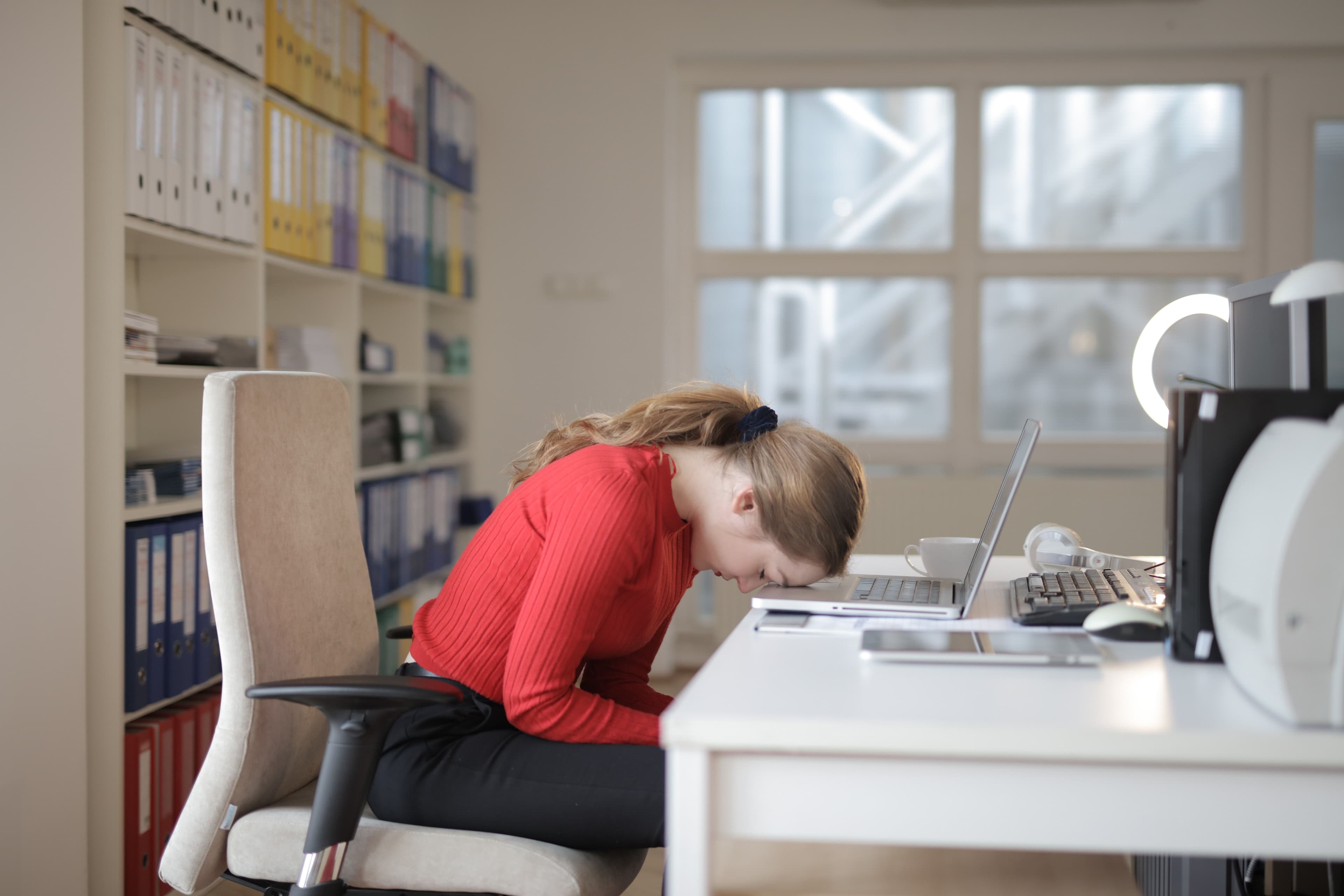
Most people forget to move or hydrate because they rely on memory, which fades quickly during busy workdays. When you sit for long stretches, your brain loses track of the time, and the urge to walk away gets drowned out by emails and meetings.
Hidden Physical Costs
Office workers report neck pain in 17.7% to 63% of cases, often due to unbroken sitting periods Jun et al., Int Arch Occup Environ Health 2017 — [doi.org/10.1007/s00420-017-1205-3]. This stiffness is frequently the first sign that your body is struggling to stay active.
The Energy Crash
Research shows walking 5 minutes every 30 minutes significantly lowers blood sugar spikes and fatigue compared to sitting all day Columbia University, 2023 — [www.cuimc.columbia.edu/news/rx-prolonged-sitting-five-minute-stroll-every-half-hour]. Yet, without a visual cue, you likely won't notice the energy dip until it's already affecting your afternoon focus.
The Memory Trap
Even if you know the science, your current routine fails because it depends on willpower rather than a system. You might think you'll remember to drink water, but by 10:30 AM, the thought is already gone.
Simple Ways to Break the Cycle
- Check Your Posture: Slouching can worsen neck strain, so review your setup regularly.
- Set Movement Alerts: Schedule a short walk or stretch for every half hour of sitting to reset your energy.
- Hydrate Before You Start: Keep a glass of water on your desk as a visual prompt.
While understanding these risks is a great first step, relying on willpower alone is not enough to change daily behavior.
The Science of Building Habits That Stick
You do not need to rely on willpower to form a lasting routine; science shows that automaticity typically takes 66 days on average for a new daily habit, varying by person.
Patience Beats Perfection
Research from UCL found that missing one day does not stop the habit from forming. Your brain learns from the pattern over time, so a missed day is just a blip, not a failure. This means consistency over time is what matters most when you are trying to change your workday.
Start Small to Stay Consistent
Large, infrequent efforts often lead to burnout, making it easier to skip days. Small, frequent actions are easier to maintain than big, heroic attempts. For instance, a short movement break is simpler to fit into a busy schedule than a long workout session.
Keep Moving to Stay Sharp
Sedentary time can drain your energy and mood quickly. A Columbia University study found that walking just five minutes every 30 minutes of sitting cut blood sugar spikes and lowered blood pressure. Every walking schedule except one minute per hour also reduced fatigue and improved mood in office workers.
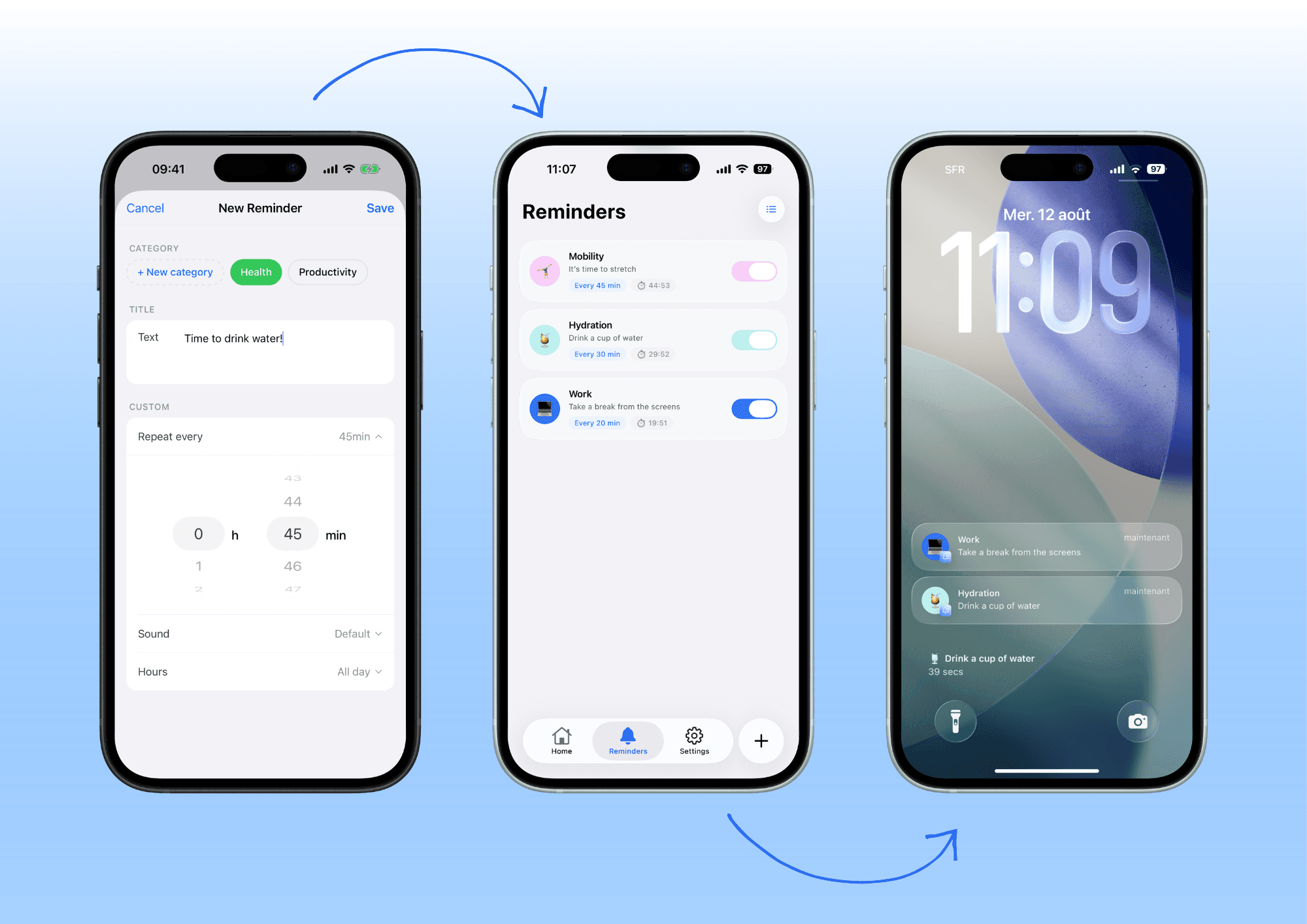
Pushmi lets you set up recurring and personalized reminders that help you adopt the best habits. You can group these by category like "Movement" or "Hydration" and pick a custom sound to ensure you actually notice the alert.
Essential Habits to Prioritize at Your Desk
Your current routine likely fails because it relies on memory, which is unreliable during busy workdays. To build a sustainable office routine, focus on these four evidence-based habits that improve your physical state and mental clarity.
Move Every Half Hour
Sitting for extended periods spikes blood sugar and lowers blood pressure, which drains your energy. Research from Columbia University shows that walking for just five minutes every 30 minutes of sitting cuts blood sugar spikes by 58% and lowers blood pressure by 4-5 points compared to sitting all day.
Stay Hydrated
Dehydration causes afternoon slumps and reduced focus, making it hard to maintain productivity throughout the day. Set a recurring notification to prompt yourself to drink water at specific intervals rather than waiting until you feel thirsty.
Protect Your Vision
Digital eye strain is common among office workers, leading to headaches and fatigue. Try the 20-20-20 rule: every 20 minutes, look at something 20 feet away for at least 20 seconds to relax your eye muscles.
Maintain Neutral Posture
Slouching or tilting your head down increases the risk of neck pain, affecting between 17.7% and 63% of office workers in a given year. Adjust your screen to eye level and ensure your chair supports a neutral spine to prevent discomfort.
If your desk setup causes pain or you are unsure how to adjust your chair and screen, consult a professional for personalized ergonomic advice. Breaking up sitting sessions and drinking water regularly creates the foundation for a productive, healthy workday.
How to Build a Custom Reminder System
You need a way to turn your good intentions into automatic actions that fit your specific schedule, so you do not have to rely on memory during busy hours.
Group Your Reminders
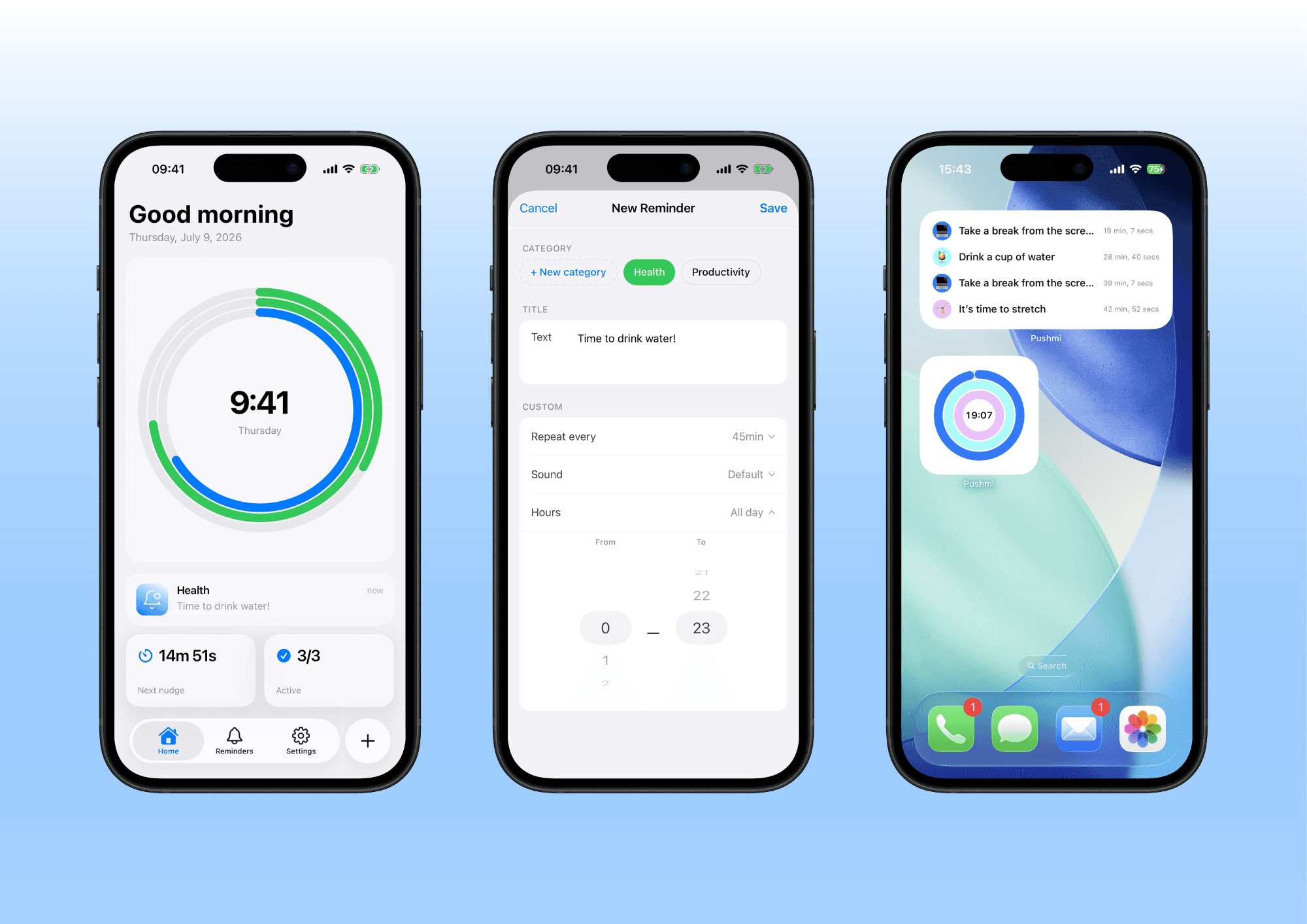
Organizing tasks into categories like "Health" or "Focus" helps your brain prioritize what matters most when you get a notification. This structure prevents your phone from vibrating constantly with unrelated alerts, allowing you to decide instantly whether to act on a suggestion.
Set Flexible Intervals
Match your timer to your natural workflow rather than using a fixed schedule like every hour. Research from Columbia University indicates that walking five minutes every 30 minutes of sitting can significantly lower blood pressure and reduce fatigue, so aligning your movement break with half-hour work blocks is often more effective than waiting longer.
Customize Your Alerts
Use distinct sounds and emojis for each category to make notifications stand out in a sea of generic dings. A unique icon for "Health" versus "Focus" helps you recognize the context of the break before you even read the message, increasing the chance you will respond immediately.
Leverage Your Phone Screen
Utilize the widgets on your locked and unlocked screens to see your active routine at a glance without unlocking your device. This visual overview serves as a gentle prompt to check your progress or start a new habit, keeping your momentum going even when you are not actively using the app.
You can set up these recurring reminders in seconds, creating a personalized ecosystem that adapts to your day as you work. Align movement breaks with standard work cycles to leverage your body's natural rhythm for better energy and focus levels.](/en/blog/mistakes-that-make-sloch-at-desk) If you want to test this personalized approach immediately, you can Download Pushmi for free on the App Store.
When to Use a Dedicated App for Reminders
If you often forget to move or check your schedule, relying on your memory is the weak link in your routine. A dedicated app can automate your daily plan so you receive timely nudges without mental effort.
Quick Glance Without Distraction
You can place widgets on your locked and unlocked screens to see your active reminders instantly. This lets you check your status with a single tap, keeping your main workspace free from clutter.
Custom Alerts That Get Noticed
Personalized messages and custom ringtones help you stay on track without checking your phone constantly. By choosing specific sounds or emojis for each category like "Health" or "Work", your brain learns to recognize the signal associated with that task.
Why Automation Beats Manual Lists
Standard to-do lists require you to remember to check them every few hours, which often leads to missed opportunities for movement or hydration. An app handles the timing and repetition for you, ensuring you get a prompt exactly when you need it.
Set Up Your Routine in Seconds
Once you decide to switch, you can create your recurring reminders in seconds using a simple interface. This flexibility allows you to adjust your schedule as your day changes without fighting with rigid tools.
Start Your Journey Today
If you are already using a habit tracker but still miss your breaks, consider adding this layer of automation. It complements other resources like fixing common posture mistakes by ensuring you actually take the time to correct your position.
Your next step
Remember that consistency beats intensity, since your routine will likely evolve over 66 days rather than happening overnight. Pushmi supports this by letting you adjust reminder intervals instantly so you can refine your habits without frustration.
Frequently asked questions
How long does it take to build a new healthy habit at work?
Research from Lally et al. at UCL in 2009 shows that a new daily habit took 66 days on average to become automatic, though this can range anywhere from 18 to 254 days depending on the person and the specific habit. Missing just one day did not stop the habit from forming, so consistency over time matters more than perfection.
What are the best desk habits for preventing back pain?
Office workers report neck pain more than other occupations, with between 17.7% and 63% of them experiencing it in a given year depending on the study. To counteract this, walking for five minutes every 30 minutes of sitting can help lower blood pressure and reduce fatigue compared to sitting all day.
Can I set multiple reminders for the same time slot?
Pushmi allows you to run several reminders at the same time. This feature allows you to group your notifications by category, such as health or work, so you can choose a custom sound or emoji for each one to actually notice them.
How do I know if my current desk setup is ergonomic?
A good ergonomic setup generally keeps your screen at eye level to reduce eye strain and supports your lower back to prevent pain. If you find yourself constantly adjusting your posture or feeling tension in your neck and shoulders, it may be time to reassess your chair, monitor height, and keyboard position.
Is it better to use a phone app or a physical timer for reminders?
A dedicated app like Pushmi offers flexible intervals and customizable messages that help you adopt habits without relying on memory, whereas a physical timer might be less adaptable to changing schedules. Using an app allows you to visualize your routine with a simple overview on your locked and unlocked screens, making it easier to stay on track throughout your day.