Finding the best reminder app for your iPhone depends on your specific needs, as native options don't always suffice for structuring complex routines. This guide honestly compares current iOS solutions, emphasizing customization and repetition to help you adopt new habits.
Key Takeaways:
- Native reminders are better suited for one-off and simple tasks.
- Third-party tools offer recurring reminders and tailored features.
- Ease of use is often more important than the number of features.
- Defining categories helps organize your daily life effectively.
How Long Does It Really Take to Build a Habit?
According to a 2009 study by the University of California, Los Angeles (UCLA), it takes an average of 66 days for a new habit to become automatic, with significant individual variation. Forgetting to perform the action on any given day doesn't break the habit-building chain, but it makes the process far more tedious than we realize.
In short: The real challenge isn't your willpower, but the lack of structure. Without a consistent cue, your brain eventually stops paying attention to the new behavior.
The Reality of Learning Pace
- Variable Duration: The time required ranges from 18 to 254 days, depending on the person and the task.
- Relative Consistency: It's overall regularity that matters, not absolute perfection.
Why Repetition Is Crucial
To anchor a routine, such as drinking water regularly, you need a reminder that triggers at fixed intervals. Research shows that frequent interruptions harm concentration, as it takes several minutes to refocus after a distraction.
Here's how to organize yourself to streamline the process:
| Feature | Effective Approach |
|---|---|
| Frequency | Repeat the action several times a day. |
| Duration | Expect to wait several weeks before seeing stable results. |
| Support | Use external storage instead of relying solely on memory. |
You can apply this method to specific contexts, such as correcting your posture at the office to avoid back pain, or adopting healthy habits by integrating exercise into your day.
If your goal is to maintain focus, recurring reminders can help you stick to regular breaks to improve your concentration at work. The idea is to transform conscious effort into an almost automatic gesture through a reliable external structure.
Native iOS Reminders: When and How to Use Them
These reminders are perfect for managing one-off tasks, such as a single appointment, or for creating simple shopping lists without the added complexity. However, they do not allow you to schedule notifications that repeat automatically at regular intervals.
Use Cases
- Use them for single-occurrence events, such as a meeting tomorrow or a past-due payment.
- Organize your tasks into lists to visualize what remains to be done for the day.
- Rely on their native integration for quick access directly from the lock screen.
Functional Limitations
There is no option to set reminders that repeat every fifteen or thirty minutes with a specific message. You also cannot assign distinct sounds or emojis to visually and audibly differentiate task types. Attempting to bypass these restrictions with workarounds often compromises the reliability of the system.
To illustrate the complexity, consider a focus routine: the native reminder will not tell you when to resume work after a break, nor will it specify which sound to use.
Tip for Basic Repetition
If you need to remember to drink water regularly, you can use the "Repeat Every Day" feature or create a list and manually check off items. This works, but it does not replace the automatic regularity necessary to build a solid habit.
-
For a more advanced work routine, such as knowing when to wake up or take a break, the native app remains insufficient. Explore alternatives designed for habits, such as fixing your posture at the desk.
-
To take care of your health on a daily basis, consult our guide on adopting healthy habits at the office.
Why Third-Party Apps Are Essential for Habits
Native iOS reminders provide a solid foundation, but they remain too rigid to structure complex routines or habits that require precise repetition. External tools bridge the gap between a generic notification and actual behavior change by giving you total control over timing and content.
Need for Flexibility and Precision
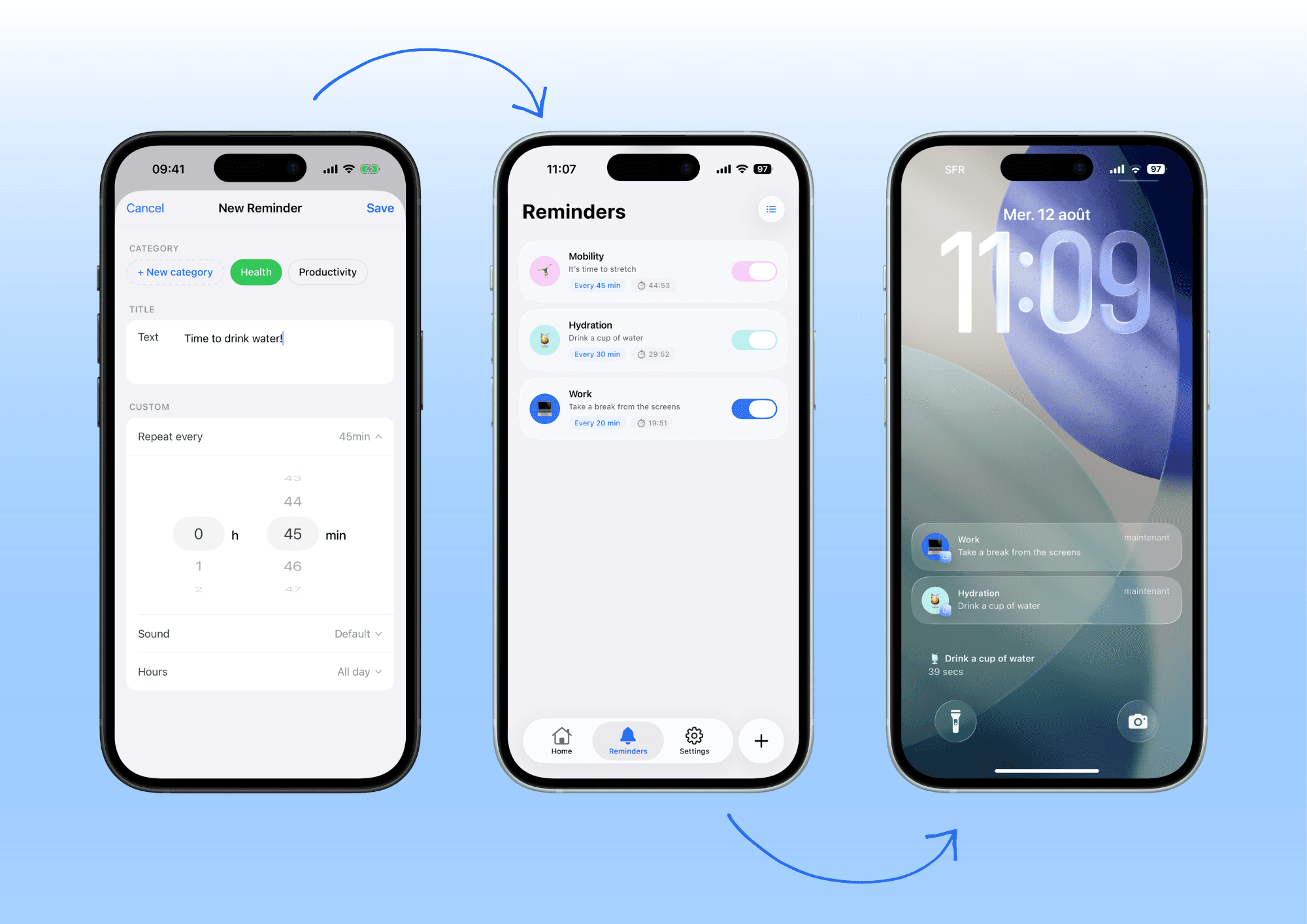
You need to set precise intervals, such as every hour, to maintain good posture or stay hydrated regularly. Unlike standard reminders, which are often limited to simple frequencies, these apps allow you to create customizable reminder cycles that adapt to your lifestyle.
- Set Intervals: Schedule a reminder that repeats every 30 minutes for hydration or every 2 hours for focus breaks.
- Stack Notifications: Launch multiple reminders in parallel to cover different aspects of your day without having to program them manually.
Customization to Capture Attention
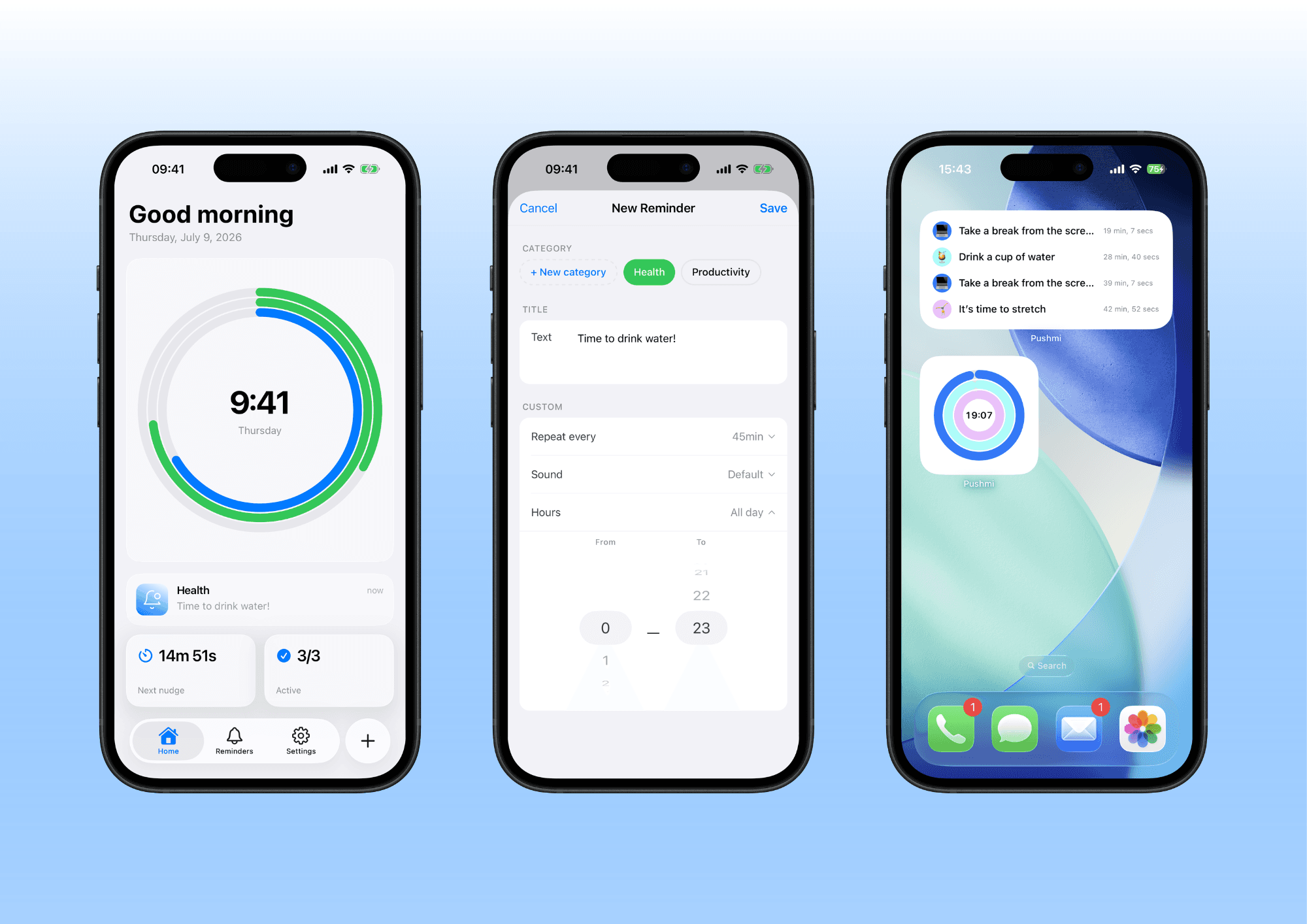
A generic notification risks being ignored; personalizing the message and sound increases the likelihood that you'll act on it.
- Tailored Messages: Write your own note to transform a cold reminder into concrete encouragement.
- Distinctive Sounds: Choose a unique ringtone for each category so you can recognize the source of the alert visually or audibly.
Organization to Avoid Being Overwhelmed
The simultaneous arrival of multiple notifications can create visual noise that causes you to ignore them all. Grouping your reminders by categories, such as health or work, allows you to visualize your routine without cognitive overload.
To see how this works in practice, you can read how to create a hydration habit.
| Feature | Native Reminders | Third-party apps |
|---|---|---|
| Flexibility | Limited Frequencies | Precise intervals (every X minutes) |
| Customization | None | Customizable messages and sounds |
| Organization | None | Categories (Health, Work, etc.) |
If your goal is to develop new routines, be aware that it takes time; a study by Lally et al. (UCL, 2009) showed that it takes an average of 66 days for a new habit to become automatic.
Comparison: The Best Options for Structuring Your Reminders
When comparing tools, prioritize those that respect your attention span rather than those that promise everything. The deciding factor isn't the number of installations, but the ability to notify you without overwhelming you.
Open-Source or Free Solutions
These apps are excellent for getting started, as they allow you to test whether recurring reminders help without a financial commitment. However, they sometimes offer less visual fluidity and less performant widgets than paid alternatives.
Premium Solutions
They offer better integration with the lock screen for a quick preview, as well as customizable sounds so you won't miss them. This is often the ideal choice if you need to manage multiple categories, such as health and work and more, simultaneously.
| Feature | Free Solutions | Premium solutions |
|---|---|---|
| Repeat Reliability | Uncertain | Very high, often native |
| Message Clarity | Limited to standard notifications | Customizable Messages and Expressions |
| Ease of use | Rarely intuitive interfaces | Intuitive, fast, and advanced configuration |
To illustrate the utility of personalized messages, imagine receiving a specific notification to correct your posture at the office. Advanced tools allow you to write exactly what you want to see, unlike native reminders which are too generic.
If your priority is to stay hydrated throughout the day, an app capable of creating a hydration habit with an adjustable reminder frequency can make all the difference.
How to Choose the Right Solution for You?
Your daily routine and specific needs dictate the choice of the tool that will truly accompany you. The goal isn't to install a default app, but to select the one that fits your current lifestyle without adding unnecessary friction.
For a Simple Hydration or Health Routine
If you need simple, recurring reminders, prioritize solutions with preview widgets. These icons on your home screen let you see at a glance whether you've already had water or taken your medication.
- Build a Hydration Habit: For this task, a quick visual notification is often enough to trigger the action.
For Managing Multiple Task Categories
If you manage multiple task categories, look for an app with reminder groups. Organizing by theme (such as "Work," "Health," "Home") prevents you from mistaking an urgent message for a secondary task.
Test Before You Buy
Test before you buy: most apps offer a free trial version to verify the user experience. This allows you to judge whether the interface is intuitive and if reminders arrive at the right time.
When to Take Action
If you're just starting out, begin with iOS's native reminders. They're simple and sufficient for immediate daily tasks. Switch to dedicated solutions only when the complexity of your routine exceeds their capabilities.
In conclusion
Remember, it takes an average of 66 days for a new habit to become automatic. The good news is that you can rely on a crutch to gradually build this habit. Pushmi helps you maintain this momentum by sending personalized reminders that arrive exactly when you need them, without overwhelming you with unnecessary notifications.
Frequently Asked Questions
What is the best iPhone reminder app in 2026?
There is no one-size-fits-all answer, as the best solution depends on your needs: use native reminders for basic management and turn to third-party tools for habit building. For recurring, personalized reminders that adapt to your routine, a dedicated app like Pushmi offers more flexibility than the built-in tool.
How to create a reminder that repeats every X minutes?
Native iOS reminders do not allow you to set precise recurrence intervals, such as every 15 minutes. To get this functionality, you'll need to use a third-party app capable of managing recurring notifications with variable delays.
Do iOS's native reminders support automatic repetitions?
No, iOS's native Reminder app does not offer an option to schedule automatic, fixed-interval repetitions. This is a significant limitation if you need to remember a task every time it arises, such as every hour.
Which app allows you to customize notification sounds?
Only third-party apps allow you to select different notification tones for each reminder category, unlike iOS's global settings. This customization helps visually distinguish an important alert from a routine reminder in the middle of the day.
Do You Need to Pay for an Effective Reminder App on iPhone?
Some advanced tools offer paid versions, but many apps provide a free version that's sufficient for structuring your days. Solutions like Pushmi let you test all the core features at no cost, which is enough to help you build new habits.